
API Documentation
LibrisLog provides a full REST API with interactive documentation.
Interactive API Docs
Two documentation interfaces are available when the backend is running:
- Swagger UI:
http://localhost:8000/api/docs - ReDoc:
http://localhost:8000/api/redoc
The OpenAPI schema is also available at:
- JSON:
http://localhost:8000/api/openapi.json
Authentication
All API endpoints (except health check and documentation) require authentication via an API key.
Creating an API Key
- Log in to the web application
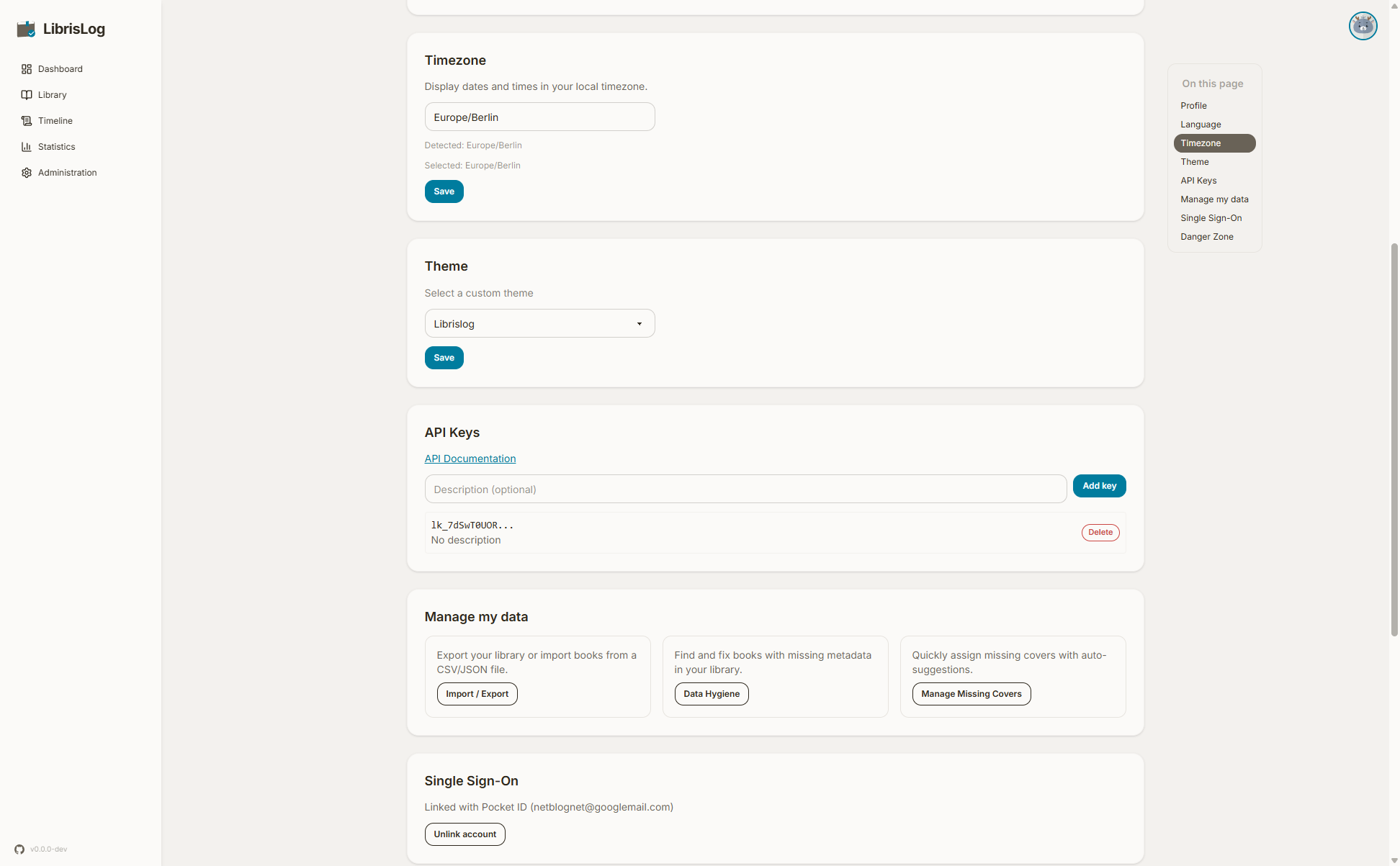
- Go to your Profile page
- Scroll to the "API Keys" section
- Click "Create API Key"
- Enter a description (optional)
- Copy the key immediately — it is shown only once
Using an API Key
Include the key in the X-API-Key header with every request:
bash
curl -H "X-API-Key: YOUR_KEY_HERE" http://localhost:8000/api/booksExample Request
bash
# List all books
curl -H "X-API-Key: YOUR_KEY_HERE" \
  http://localhost:8000/api/books

# Create a new book
curl -X POST \
  -H "X-API-Key: YOUR_KEY_HERE" \
  -H "Content-Type: application/json" \
  -d '{"title": "The Great Gatsby", "author": "F. Scott Fitzgerald"}' \
  http://localhost:8000/api/books

# Update reading status
curl -X POST \
  -H "X-API-Key: YOUR_KEY_HERE" \
  -H "Content-Type: application/json" \
  -d '{"new_status": "read"}' \
  http://localhost:8000/api/books/1/transition-status
Key Endpoints
Books
| Method | Endpoint | Description |
|---|---|---|
| GET | /api/books | List all books |
| POST | /api/books | Create a book |
| GET | /api/books/{id} | Get book details |
| PUT | /api/books/{id} | Update book |
| DELETE | /api/books/{id} | Delete book |
| POST | /api/books/{id}/transition-status | Change reading status |
Progress
| Method | Endpoint | Description |
|---|---|---|
| GET | /api/books/{id}/progress | List progress entries |
| POST | /api/books/{id}/progress | Add progress entry |
| PATCH | /api/books/{id}/progress/{entry_id} | Update progress date |
| DELETE | /api/books/{id}/progress/{entry_id} | Delete progress entry |
Statistics
| Method | Endpoint | Description |
|---|---|---|
| GET | /api/statistics | Full statistics |
| GET | /api/statistics/pages-per-day | Daily page breakdown |
Data Import/Export
| Method | Endpoint | Description |
|---|---|---|
| POST | /api/data/export | Export data |
| POST | /api/data/import/parse | Parse import file |
| POST | /api/data/import/validate | Validate import |
| POST | /api/data/import/execute | Execute import |
Book Import (External Sources)
| Method | Endpoint | Description |
|---|---|---|
| GET | /api/import/search | Search external sources |
| GET | /api/import/search/stream | Stream search progress |
| POST | /api/import | Import a candidate |
Error Handling
The API returns standard HTTP status codes:
200— Success201— Created204— No content (delete success)400— Bad request401— Unauthorized (missing or invalid API key)404— Not found409— Conflict (e.g., duplicate ISBN)422— Validation error
Error responses include a JSON body with details:
json
{
  "detail": "Book not found"
}