
Quick Start
Get LibrisLog running in minutes.
Prerequisites
- Docker (includes Docker Compose)
curlorwget(to download files)
Setup
Download the files, create your environment, and generate a secure encryption key.
mkdir librislog && cd librislog \
  && curl -O https://raw.githubusercontent.com/codebude/librislog/main/docker-compose.yml \
  && curl -O https://raw.githubusercontent.com/codebude/librislog/main/.env.example \
  && cp .env.example .env \
&& sed -i "s/CHANGE_ME_TO_32PLUS_CHARS/$(openssl rand -base64 32)/" .envmkdir librislog; cd librislog
Invoke-WebRequest -Uri https://raw.githubusercontent.com/codebude/librislog/main/docker-compose.yml -OutFile docker-compose.yml
Invoke-WebRequest -Uri https://raw.githubusercontent.com/codebude/librislog/main/.env.example -OutFile .env.example
Copy-Item .env.example .env
$key = [Convert]::ToBase64String([byte[]](1..32 | ForEach-Object {Get-Random -Maximum 256}))
(Get-Content .env).Replace('CHANGE_ME_TO_32PLUS_CHARS', $key) | Set-Content .envAlternative key generation: If you don't have OpenSSL or PowerShell, run
python -c "import secrets; print(secrets.token_urlsafe(32))"or use an online generator like base64encode.org (generate 32 random bytes, encode to base64). Then manually replaceCHANGE_ME_TO_32PLUS_CHARSin your.envfile.
The
.envfile can be further customized — see Configuration for all available options.
Start the application:
docker compose up -dThe backend API will be available at http://localhost:8000 and the frontend at http://localhost:8001.
First-Time Setup
On first launch, create a user account through the web interface at http://localhost:8001.
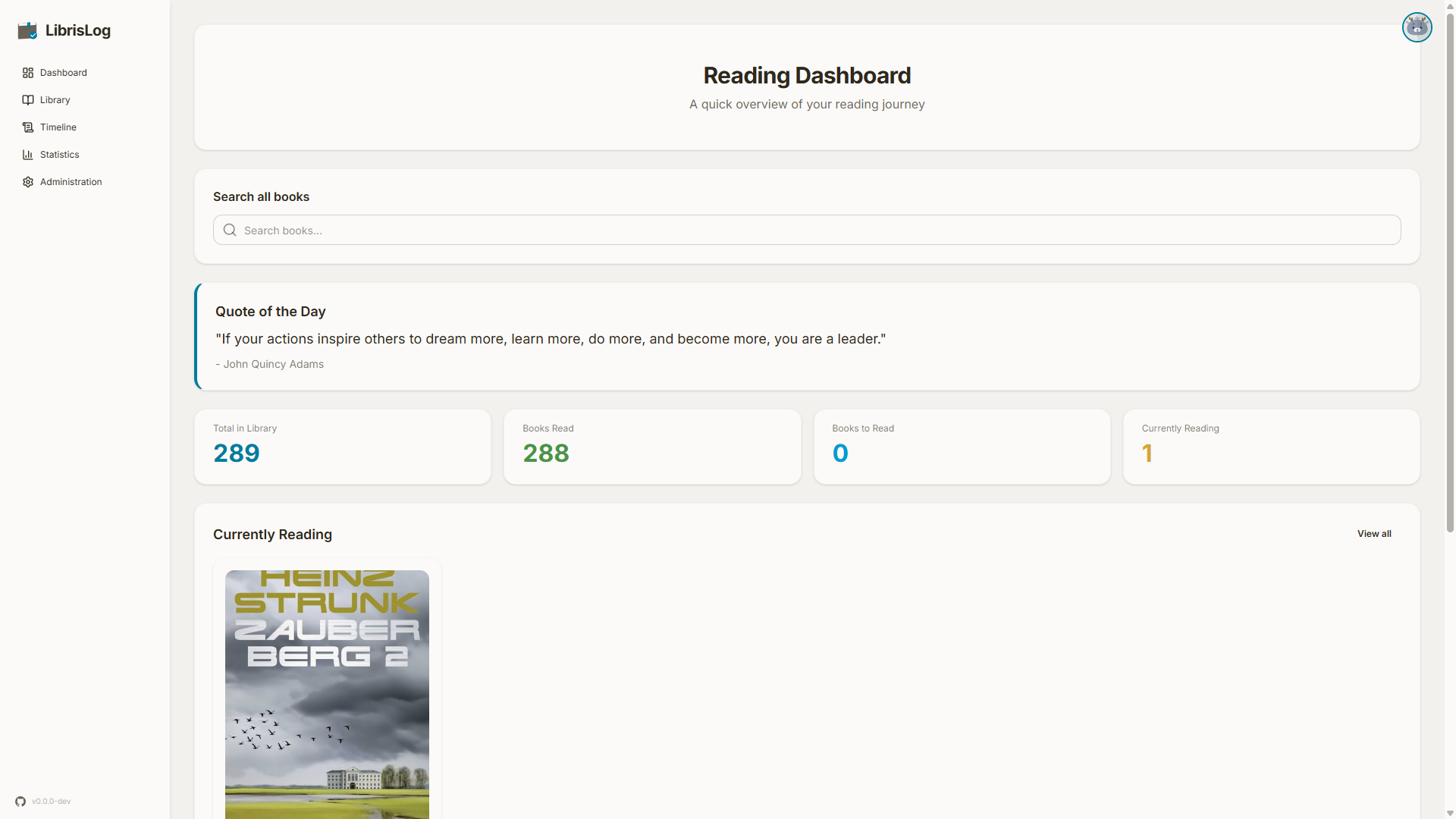
The dashboard shows your currently reading books, reading progress, and a random inspirational quote.
Verification
Check that the application is healthy:
curl http://localhost:8000/api/healthYou should see a JSON response with status information.
You can also verify the frontend is accessible by opening http://localhost:8001 in your browser.