Dashboard
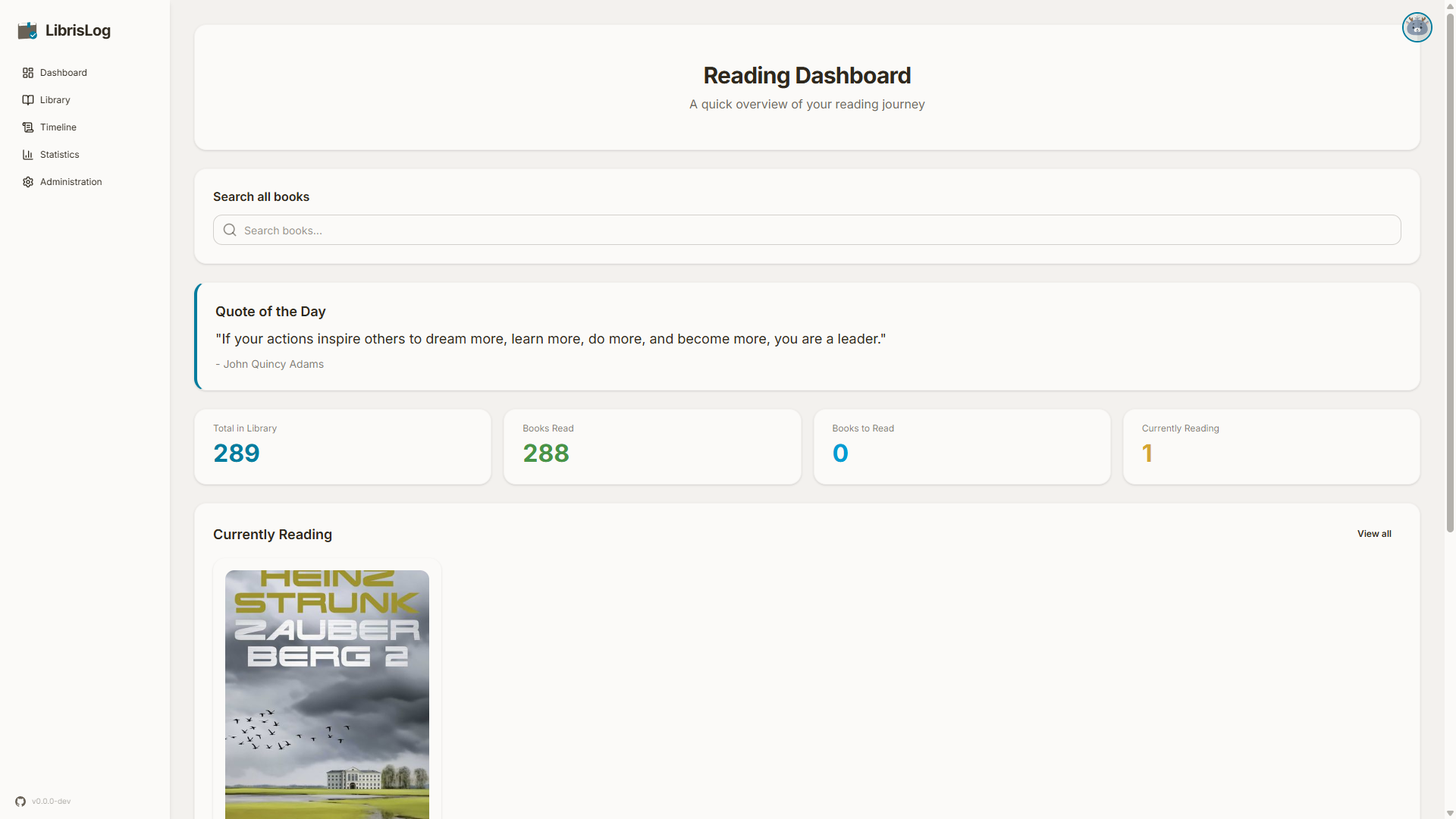
The dashboard is the first page you see after logging in. It gives you an overview of your reading activity and quick access to your current books.
Search
The search bar at the top of the dashboard lets you find books by title, author, or tags. The result count updates as you type and matching books appear in a dropdown below the bar.
- Arrow keys to navigate the dropdown
- Enter opens the selected book's detail view; if no item is selected, it navigates to the dedicated search results page (
/search) showing all matches - Escape to close the dropdown
- Click the search icon to focus the input
The search results page shows a full results grid with load-more pagination and the same book detail interaction as the library.
Currently Reading
Books you marked as "Currently Reading" appear with progress bars showing the current page and percentage. Click a book to open the detail view and update your progress.
Next Suggestions
Books from your "Want to Read" list are shown as suggestions — pick one to start reading next.
Inspirational Quote
A random quote is displayed at the top of the dashboard (configurable via DASHBOARD_QUOTE_ENABLED in .env).
Tag Cloud
The most common tags in your library are shown, sized by frequency. Click any tag to filter your library by it.
Timeline
Access the timeline page from the left navigation menu under "Timeline". The timeline page shows a chronological view of your reading activity:
- Books started and finished
- Reading progress updates
- Date conflicts (when a book's start date is after its finish date)