Profile
The profile page is your personal settings hub. Access it by clicking your avatar or name in the top-right corner and selecting "Profile".
Profile Information
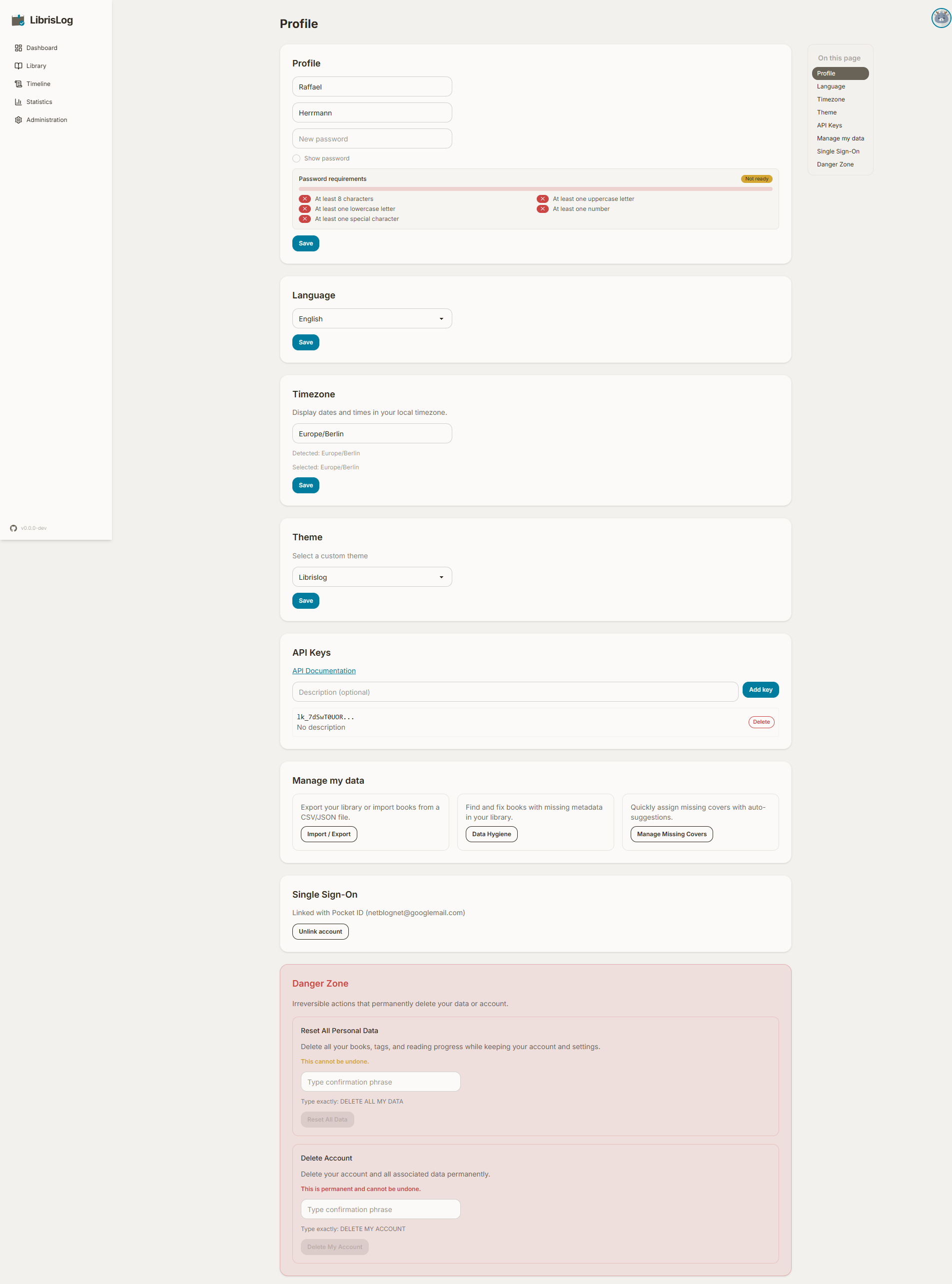
Update your first name, last name, or password. The password field is optional — leave it blank to keep your current password. A password strength indicator and complexity requirements are shown below the input.
Language
Switch the UI language between available locales. The change applies immediately after saving.
Timezone
Set your preferred timezone for date/time displays (e.g., for the calendar heatmap and progress log timestamps). Your browser's detected timezone is shown as a reference.
Theme
Choose a custom DaisyUI theme from the dropdown. The theme previews in real-time as you browse the dropdown, and the selection is saved to your profile so it persists across sessions.
API Keys
Create and manage API keys for headless access to the REST API. Each key can have an optional description. Keys are shown once at creation — copy it immediately, as it cannot be retrieved later.
See the API Keys guide for detailed setup instructions.
Data Management
Two data management tools are available:
- Import / Export — Export your library as JSON, CSV, or ZIP, or import from Goodreads CSV or generic CSV with field mapping and Python transforms. See Import & Export.
- Data Hygiene — Find books with missing metadata and batch-update them. See Data Hygiene.
OIDC
If the instance has OIDC authentication enabled, you can link or unlink your account to an external identity provider.
Danger Zone
Two irreversible actions are available:
Reset My Data
Deletes all your books, reading progress, and tags. Your account and profile settings are preserved. Type the confirmation phrase to enable the button.
Delete Account
Permanently deletes your account and all associated data. Type the confirmation phrase to enable the button. After deletion, you are redirected to the login page.